Engagement outcomes provide insights into students’ progress and life-changing moments within courses.
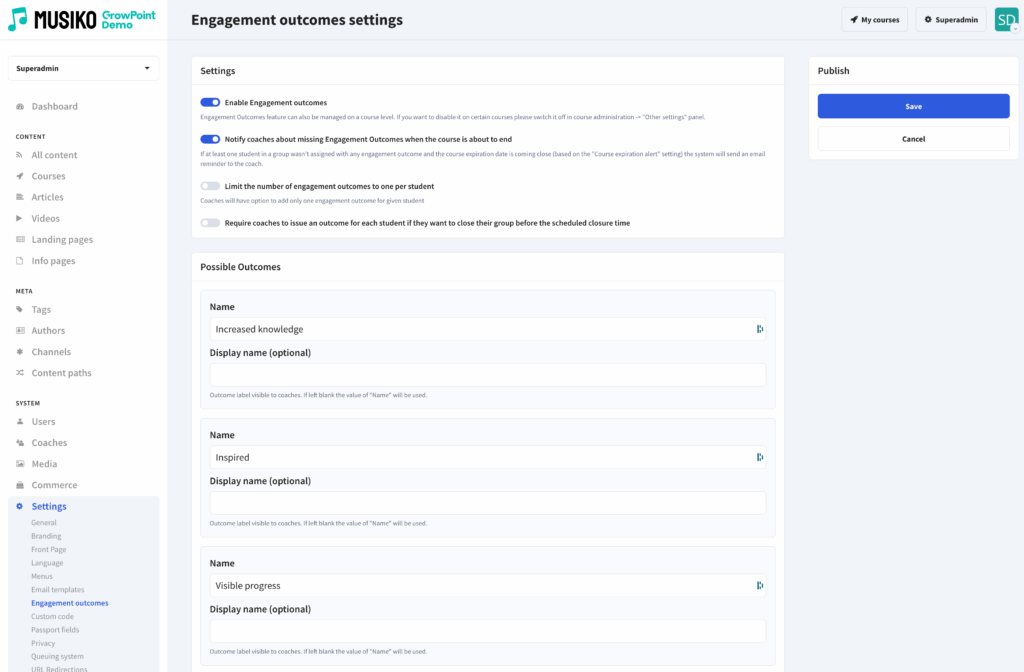
Engagement Outcomes settings
| Enable Engagement outcomes | Engagement Outcomes feature can also be managed on a course level. If you want to disable it on certain courses please switch it off in course administration → „Other settings” panel. |
| Notify coaches about missing Engagement Outcomes when the course is about to end | If at least one student in a group wasn’t assigned any engagement outcome and the course expiration date is coming close (based on the „Course expiration alert” setting) the system will send an email reminder to the coach. |
| Limit the number of engagement outcomes to one per student | Coaches will have the option to add only one engagement outcome for a given student. |
| Require coaches to issue an outcome for each student if they want to close their group before the scheduled closure time | Enable this setting if you want the system to remind coaches to report an outcome before manually closing the course. |
| Possible outcomes | Create a list of outcomes available to be selected by coaches.
|