The Managing Orders section provides administrators with the tools to track, review, and manage all transactions related to paid courses. This module ensures full visibility into learner purchases, payment statuses —helping you maintain smooth and accurate commerce operations across the platform.
Through an organized dashboard, administrators can quickly view order details, monitor payment confirmations, verify course access, and address any issues that may arise. Each order record includes essential information such as purchaser details, purchased course(s), transaction amount, and current status, enabling effective support and reporting.
This documentation explains how to navigate the Orders interface, search and filter transactions, view individual order details, process refunds, and manage enrollment rights associated with each purchase. With these tools, platform administrators can efficiently maintain order accuracy, resolve customer inquiries, and ensure a seamless purchasing experience for learners.
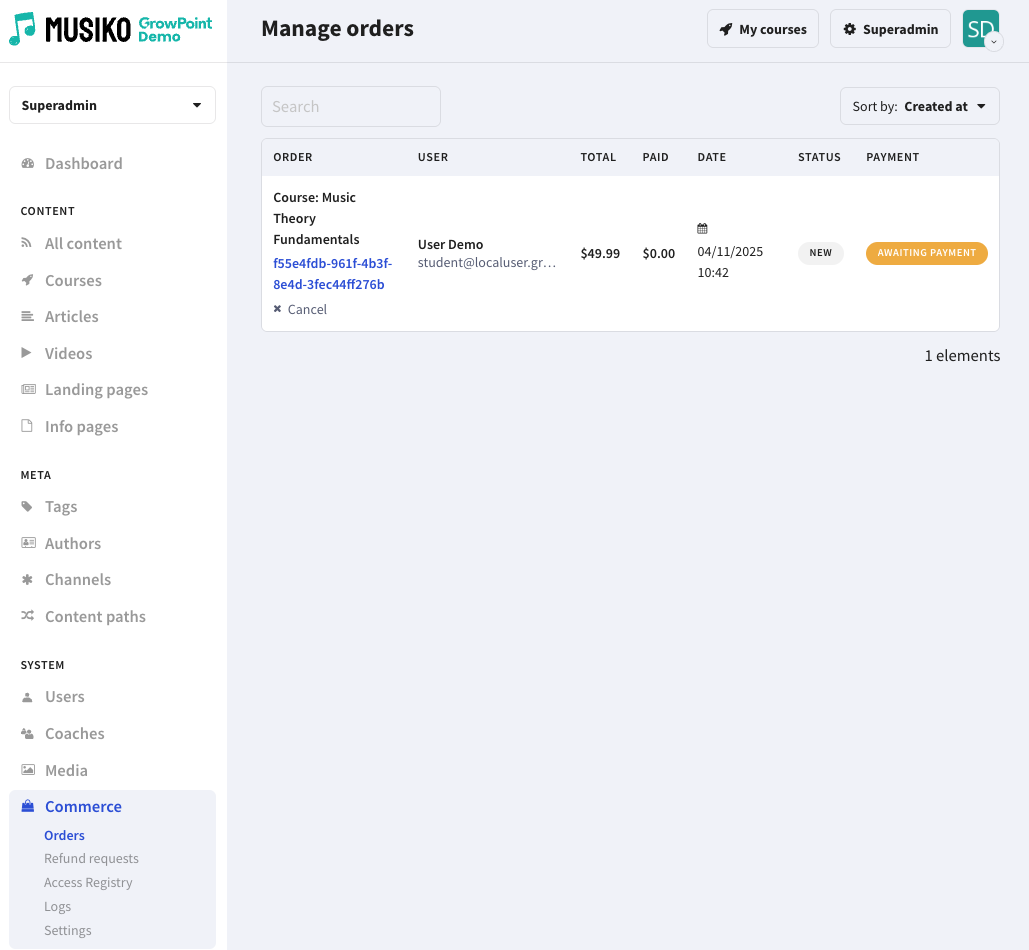
Manage orders page view
| Order | Name of order with unique order code |
| User | Name of user |
| Total | Cost of order |
| Paid | Balance paid |
| Date | Datę of purchase |
| Status | Order status |
| Payment | Payment status |