The Settings module allows administrators to configure all commerce-related parameters for paid courses, ensuring the platform operates according to organizational policies and business requirements. This section centralizes essential configuration options that affect pricing, payments, refunds, access rules, notifications, and overall system behavior.
Through an intuitive interface, administrators can define payment gateways, adjust tax or currency settings, set up refund policies, customize enrollment rules, and manage other operational preferences. These settings directly influence how learners purchase courses, how transactions are processed, and how access is delivered.
This documentation outlines each configurable option within the Settings module, explaining its purpose, impact, and best practices for proper setup. By managing these settings effectively, administrators can ensure a smooth purchasing experience, maintain compliance, and optimize the platform’s commerce operations.
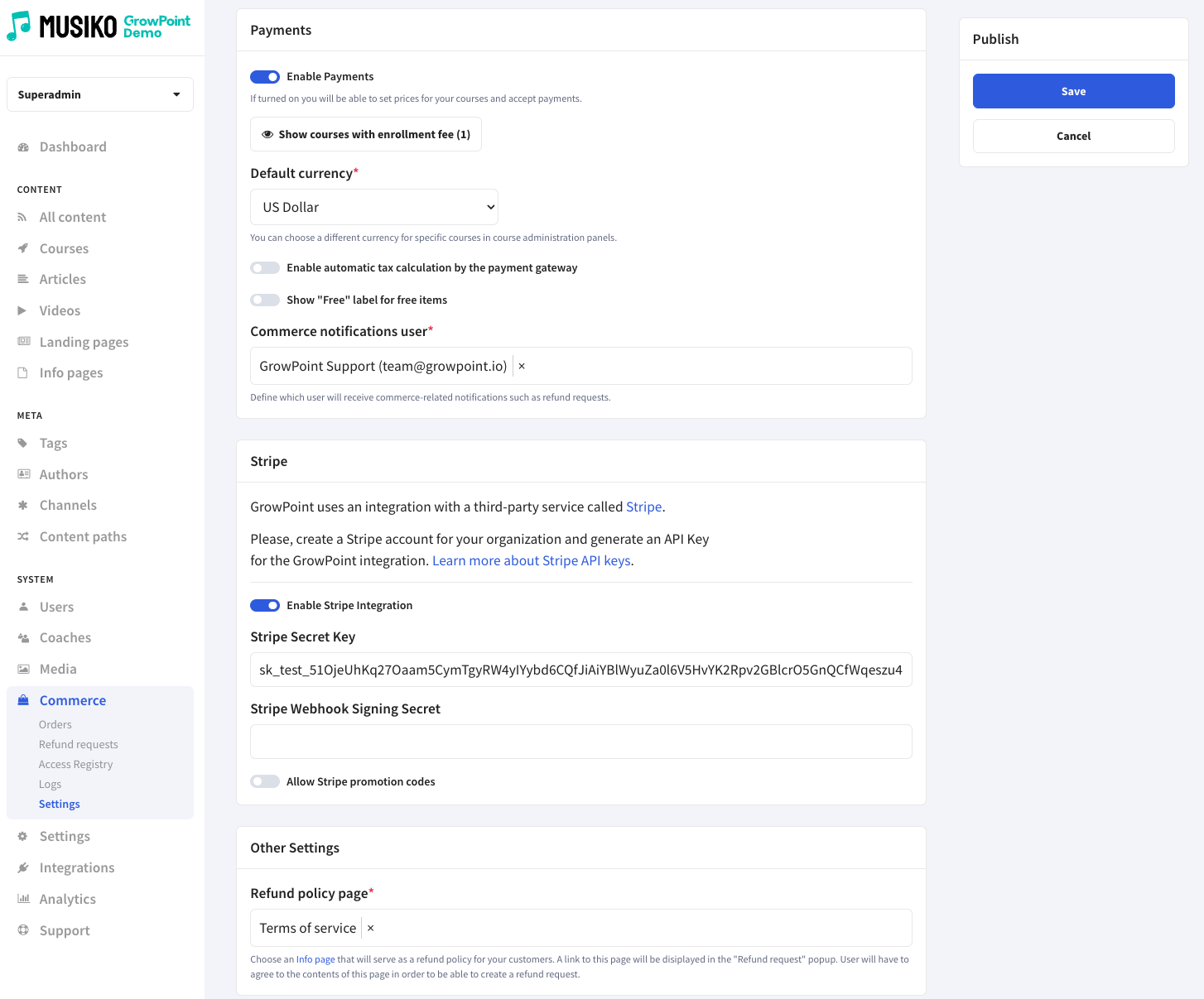
Commerce settings page
| Enable Payments | If turned on you will be able to set prices for your courses and accept payments. |
| Show courses with enrollment fee | List of courses with payment needed to enter |
| Default currency | Transaction currency |
| Enable automatic tax calculation by the payment gateway | Automatic tax calculation |
| Show „Free” label for free items | Automatic 'Free” label on courses without payment |
| Commerce notifications user | Name commerce user |
| Enable Stripe Integration | Stripe integration on/off |
| Stripe Secret Key | Authorization code for stripe |
| Stripe Webhook Signing Secret | Secret authorization code for stripe |
| Allow Stripe promotion codes | Allow promotion codes on/off |
| Allow Stripe promotion codes | Choose an Info page that will serve as a refund policy for your customers |