The Video Content Type allows you to create a video page similar to those on popular video streaming platforms, such as YouTube.
To add a new video go to the Superadmin panel -> Videos -> Create video page.
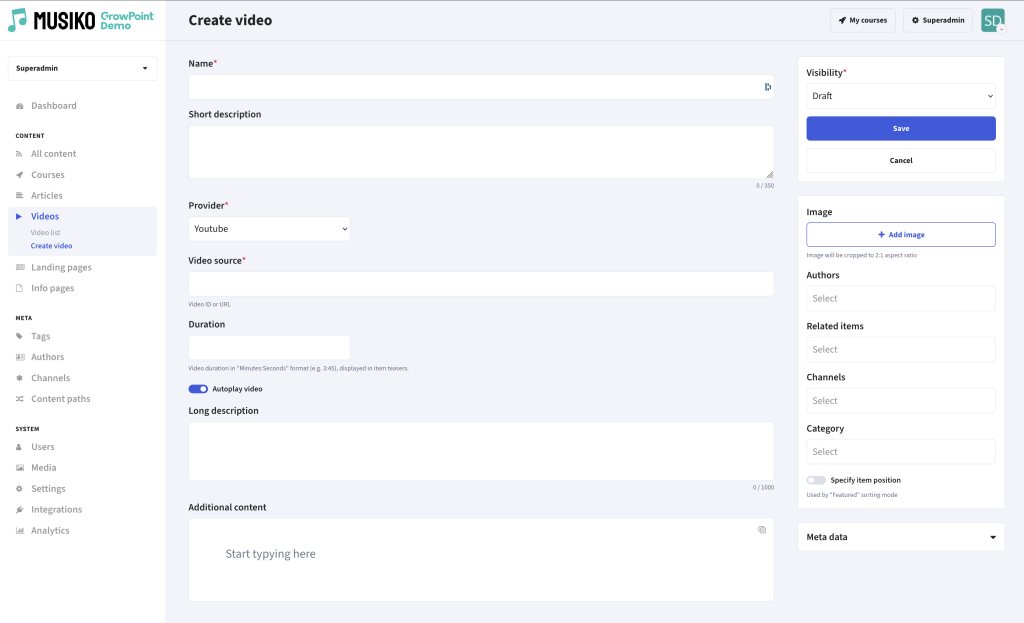
„Create video” page
Videos use a set of fields common to all content types.
| Provider | Choose between YouTube, Vimeo, or a Custom URL as the video source |
| Video Source | Enter the ID or URL of the video |
| Autoplay | Option to play the video automatically on page load |
| Add image | Option to set an image to the video |